Below are the steps visitors use to register on the Parking Portal.

- Log onto the TCU Parking Portal.
- Click Sign Up to create an account.

- Fill in all information and Click Create Account.
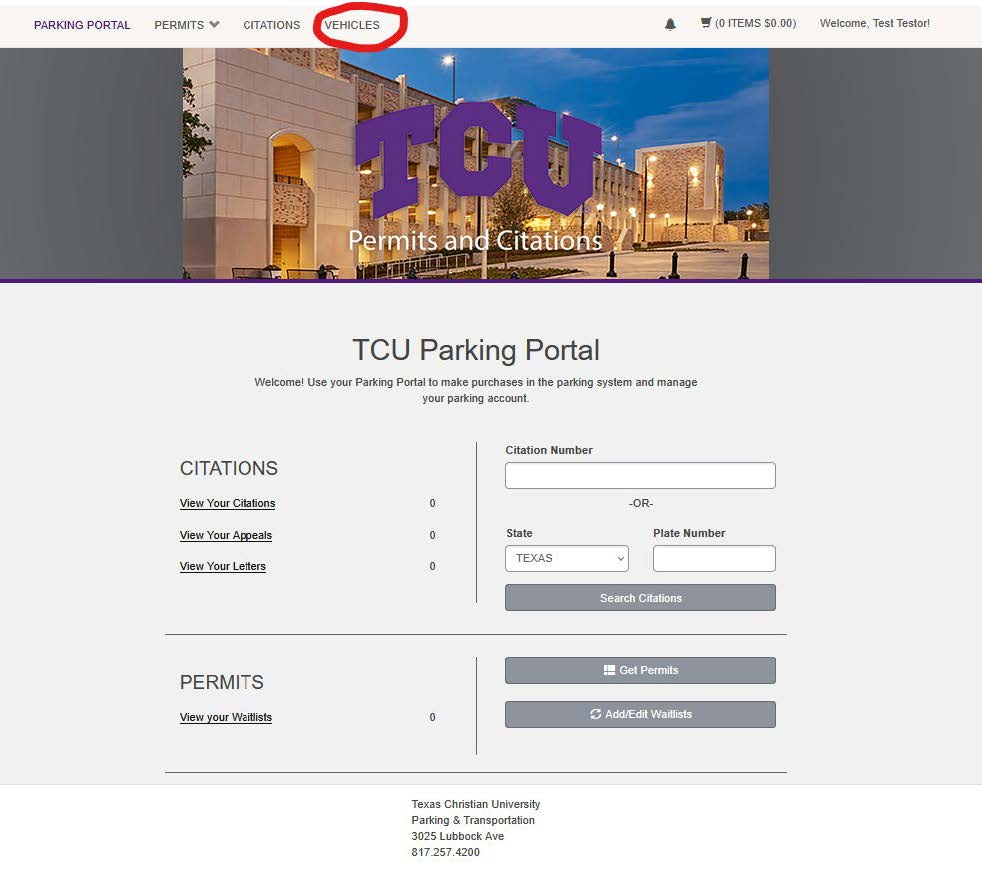
- Once you complete creating your account it will bring you back to the parking portal main page. Click Vehicles at the top of the page.

- On the next page click Add Vehicle.
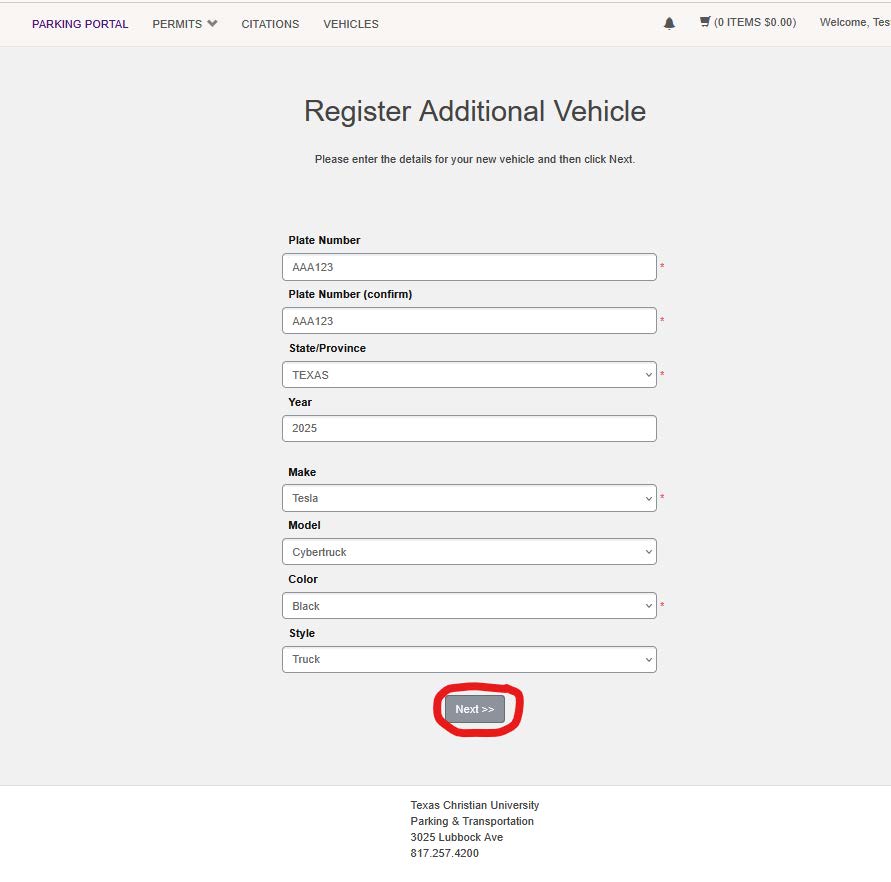
Enter all vehicle information and click next. The vehicle is now attached to the guest account. Once that is complete, they can issue themselves a visitor pass from the parking portal homepage under Get Permits.